BigXthaPlug Give It All AI puts you at the mic
Upload one photo and Give It All AI rebuilds the opening 15 seconds of the GIVE IT ALL From The Block performance with you as the rapper. The cinema-lobby crowd, the orange showtime boards, the chrome mic on its cable and all three camera angles stay where they were, and the performance's own sound goes back on top. No template link, no app, no editing.
- 1 photo
- 15 s
- original sound
- 2 s free preview
Updated
Mic check studio
15 s · 9:16 · three shots · original sound
1Your photo
2Quality
The free preview is 480p. When you unlock it, you choose 480p or HD 720p.
Why we ask
Putting someone’s face in a video without their OK can break privacy and image-rights laws, and that responsibility is yours. So you confirm three things: you are the person or have their OK, they are an adult, and they are not a celebrity or a politician. We keep the time you confirmed with the request.
First 2 s free (480p, watermarked, to watch here). Like it? Unlock all 15 s for $9.99.
- Free 2 s preview
- Unlock all 15 s if you like it
- Original sound
- A failed preview is given back
The effect
Add a photo and press the button. It usually takes 4 to 15 minutes; finished videos stay in My videos.
- From The Block · Dallas
- one photo in
- three camera angles
- 15 seconds
- original sound laid back on
- silent copy included
- credits back if a render fails
In one paragraph
BigXthaPlug Give It All AI is a browser tool for the "Give It All to Me" AI trend: you upload a single photo and the AI re-shoots the first 15 seconds of BigXthaPlug's From The Block Performance of GIVE IT ALL (posted by 4 Shooters Only on 3 November 2026) with your face, hair and clothes at the hanging microphone. The camera moves, the cuts and the crowd come from the real footage; the original sound is laid back on after the render. A full video is 10 credits at 480p (the $9.99 Single pack) or 22 at 720p, it is usually ready in 4 to 15 minutes, and every Google account can first watch a free 2-second preview.
Three shots, fifteen seconds
What the Give It All AI does with your photo
Every Give It All AI video follows the same opening of the performance, cut for cut. Here is where the AI puts you and what you do in each shot.
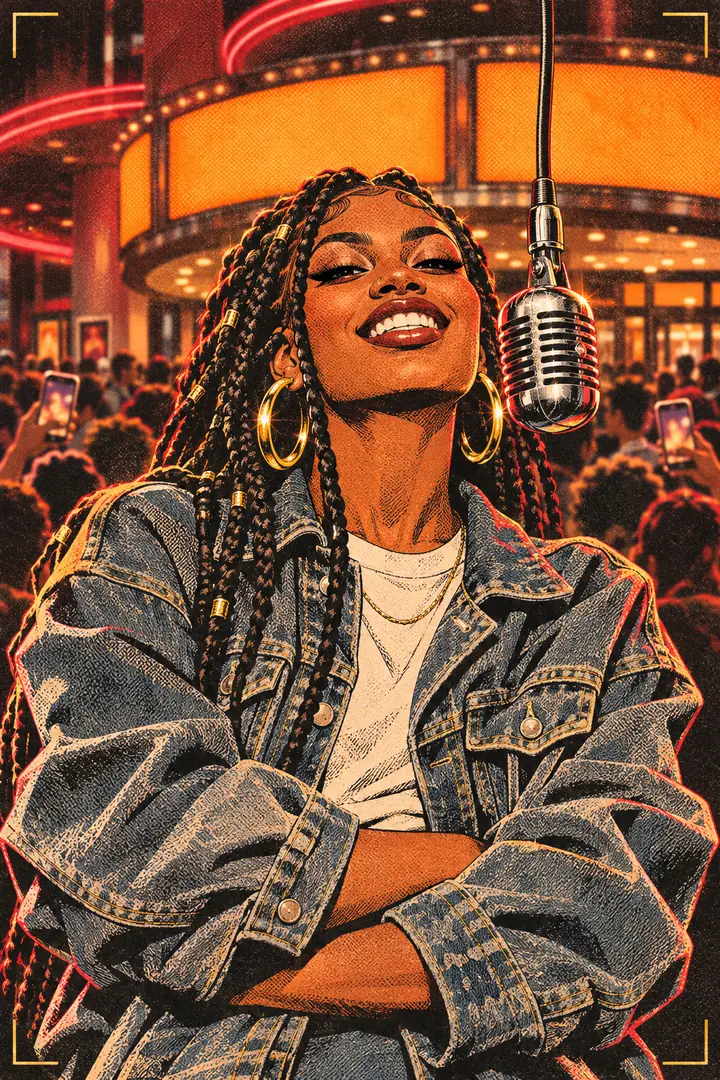
0 to 6.25 s
The front take
Chest up, straight on, the mic hanging just beside your mouth. The AI gives you his forearms crossed at the waist, a wide grin and a little bounce on every beat, then one hand comes up beside the mic.
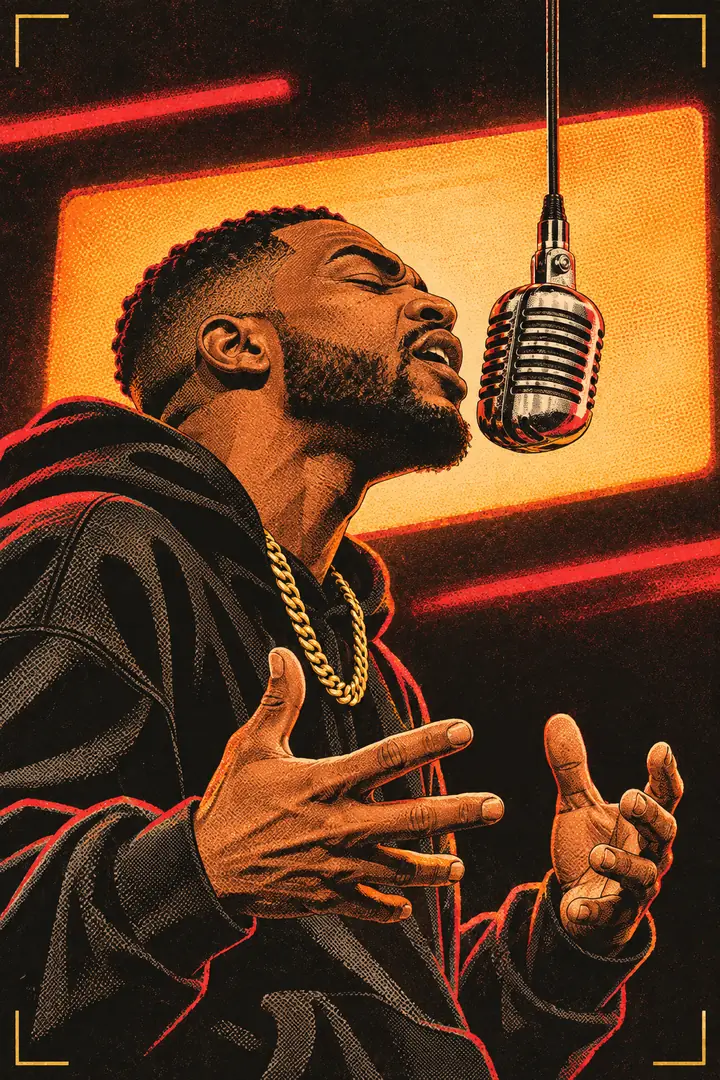
6.25 to 11.75 s
The side angle
The camera drops low and swings to your side. The AI turns you into the mic, hands working in front of your chest, a clap, eyes shut and eyebrows up on the hardest bar, fingers crossed for the last one.
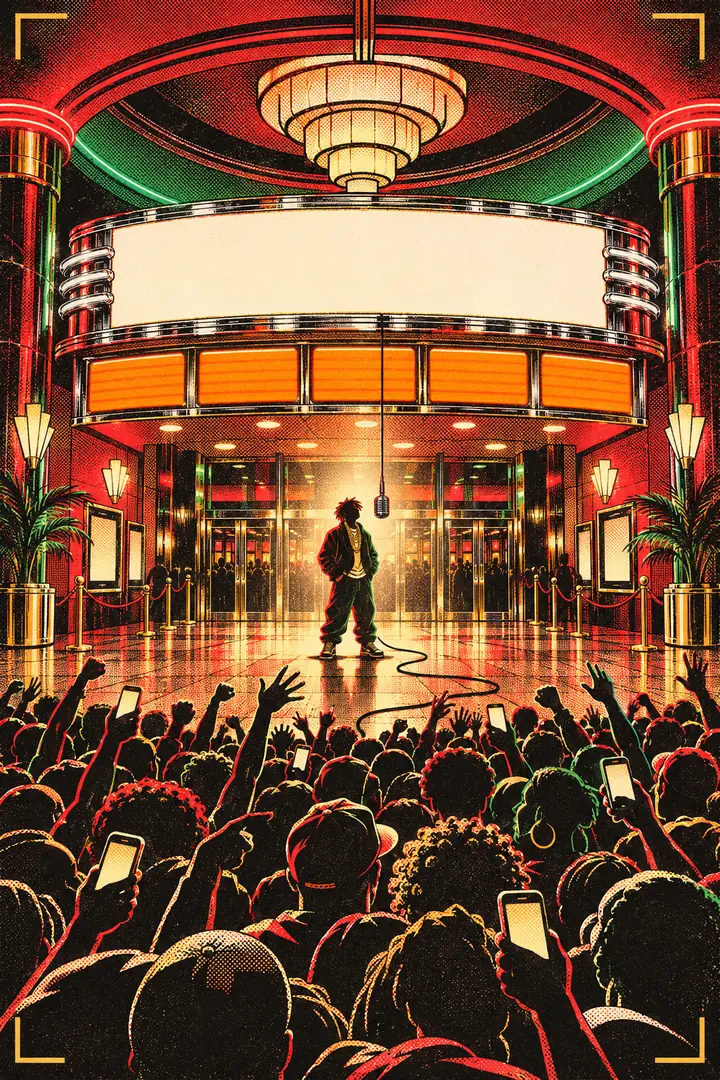
11.75 to 15 s
The lobby wide
The widest shot: the AI keeps you in the middle of the cinema lobby under the white sign and the glowing boards, hands low, the crowd waving behind you until the cut.
The AI moves your mouth to BigXthaPlug's verse, so the words you appear to rap are his. 10 credits at 480p, 22 at 720p.
Under the hood
How the BigXthaPlug AI video is made
Four things happen between pressing the button and downloading your Give It All AI video. The AI does all four; none of them needs you.
The AI reads your photo
An image AI first redraws you as one standing, full-length portrait, so the video AI sees your whole outfit and not only your face. If that drawing fails, your photo goes up on its own.
The AI takes the rapper's spot
A reference-to-video AI (Wan 3.0) replaces the rapper in every frame of the 15 seconds, as close to the lens and as large in the picture as he was, with your face taken from the photo itself.
The AI follows the real camera
The cuts, the camera moves, the crowd and the lobby lights come from the real footage. The AI redraws only the person at the mic and keeps the timing of every gesture.
The original sound goes back on
When the AI render comes back, Give It All AI lays the performance audio back under the picture and saves a silent copy next to it.
Where the trend comes from
The From The Block take behind BigXthaPlug Give It All AI
GIVE IT ALL is a track on BETTER OVER TIME, the album the Dallas rapper BigXthaPlug released on Friday 30 October 2026. Four days later, on 3 November, the channel 4 Shooters Only posted his From The Block Performance of the song: one take at a vintage chrome microphone hanging on a long cable, filmed in a packed cinema lobby in Dallas. The setup is the series' own (artists perform among the crowd, close to the lens), and the crowd shouting the lines back is what made the clip easy to share.
By 16 November the YouTube upload had 1.09 million views and the vertical TikTok upload 3.7 million plays. From 7 November, TikTok creators started posting AI versions with other people at the mic, and on 15 and 16 November dozens of "Give It All to Me AI trend" tutorials appeared, most of them pointing to a CapCut or Kling AI template. The full story of the Give It All AI trend.
30 Oct
BETTER OVER TIME out, GIVE IT ALL on it
3 Nov
From The Block Performance posted
3.7 million
plays on the vertical TikTok upload (2026-11-16)
Watch the original performance on YouTube
Ways to make one
Give It All AI vs a template app vs doing it by hand
The tutorials on TikTok show three routes to a Give It All AI video. This table puts what each one needs side by side. We have not tested the apps ourselves, so their columns only say what the tutorials show.
| Route | What you need | What comes out | Cost |
|---|---|---|---|
| Give It All AI (this site) | One photo and a browser; sign in with Google | A 15 s AI video, 9:16, original sound laid back on, plus a silent copy | Free 2 s preview; $9.99 for the full video at 480p |
| Kling AI template | The Kling AI app, a template link from a creator, one photo | Set by the app (tutorials from 7 November show this route) | Set by Kling; not checked by us |
| CapCut template | CapCut, a template link, one photo | Set by CapCut (the 15 and 16 November tutorial wave) | Set by CapCut; not checked by us |
| Film it yourself | A mic prop, a crowd, a camera and an editor | Your own take, no lobby unless you find one | Your time |
From TikTok creators
BigXthaPlug AI takes from other creators
Creators on TikTok using the same sound, from AI takes to people rapping the opening bars themselves. Tap a card to play it right here; every card is credited and links to its post. Many AI takes online use famous faces, so we only show takes of people who posted themselves or AI takes of non-public faces.
Before you upload
The photo that works best
- Face the camera with both eyes visible, so the AI can read your face
- Soft, even light: daylight by a window is ideal
- Head and shoulders at least; waist up is even better
- Only you (or your pet) in the frame
- Sunglasses, a mask or a hat brim over the eyes
- Group shots, or a mirror selfie with the phone over the face
- Beauty filters and heavy edits: the AI copies them
- Tiny, blurry or screenshot-of-a-screen images
Honest limits: the AI moves your mouth to the rapper's verse, not to your voice. A face in the crowd can wobble for a frame, and a chain or ring from the original can slip back in. The free preview and the full video are two separate renders, so small details can differ between them.
What you download
Your Give It All AI video, file by file
Vertical MP4
Each AI video runs 15 seconds at 9:16, in 480p (10 credits) or HD 720p (22 credits). Ready for TikTok, Reels and Shorts.
Sound on
After the AI render, the performance's own audio is laid back under the picture, so every bar lands where it landed in the lobby.
Silent copy
Some apps mute a track they recognize. Post the silent copy there and add the trending GIVE IT ALL sound inside the app.
No watermark
Paid AI videos carry no watermark. The free 2-second preview is watermarked and plays only on this site.
Refund on failure
If an AI render does not finish, the credits go back to your balance automatically. No form to fill in.
Your photo
Give It All AI deletes uploaded photos 7 days after upload and never shows them on the site.

Pricing
Pay per video or by the month
One Give It All AI video at 480p costs 10 credits, so the $9.99 Single pack covers exactly one. Larger packs and monthly plans lower the price per AI video; pack credits never expire. Before paying anything, each Google account can render one free 2-second preview. Full pricing.
| Pack | Price (one-time) | Videos at 480p / 720p | Per 480p video | Buy |
|---|---|---|---|---|
| Single | $9.99 | 1 / 0 | $9.99 | |
| Duo Pack | $29 | 5 / 2 | $5.80 | |
| Party PackMost popular | $59 | 20 / 9 | $2.95 | |
| Crew Pack | $99 | 35 / 15 | $2.83 | |
| Studio Pack | $199 | 80 / 36 | $2.49 |
Every video is 15 s: 10 credits at 480p, 22 at HD 720p. Packs are one-time payments and their credits never expire; monthly and yearly plans renew until you cancel.
Checkout opens soon
Secure checkout by Stripe · Packs never expire · Subscriptions renew until canceled · Failed renders are never charged
Guides
Questions about the Give It All AI trend
The origin and dates, the three ways to make one, and the song itself.
What is the BigXthaPlug Give It All AI trend?
The From The Block performance, the dates, the other names and why the AI takes spread.
How to make a BigXthaPlug Give It All AI video
Three routes compared: this site, a Kling AI template and a CapCut template, with the steps for each.
BigXthaPlug Give It All release date: when it dropped
The album, the date, the From The Block video and where the AI trend picked it up.
FAQ
Give It All AI, answered
What is BigXthaPlug Give It All AI?
BigXthaPlug Give It All AI (GiveItAllAI.com) is an online AI video tool that puts one photo of you, a friend who agreed, or your pet into the opening 15 seconds of BigXthaPlug's GIVE IT ALL From The Block Performance. The AI keeps the camera moves, the three shots and the crowd, and lays the original sound back on. It is an independent tool with no tie to the artist.
What is the BigXthaPlug "Give It All to Me" AI trend?
It is the TikTok trend of using AI to put another face at the hanging mic of BigXthaPlug's From The Block Performance of GIVE IT ALL, posted on 3 November 2026. AI versions started appearing on 7 November, and by 15 and 16 November creators were posting step-by-step AI tutorials. People also call it the BigXthaPlug AI trend or the From The Block AI rap trend. Origin and timeline.
How do I make a BigXthaPlug Give It All AI video?
Add one clear photo in the studio at the top of this page, tick the permission box and press the button; sign in with Google when asked. You first get a free 2-second preview; unlock it to render all 15 seconds. The video is usually ready in 4 to 15 minutes. Step-by-step guide.
Is Give It All AI free?
The preview is: each Google account can render one free 2-second preview at 480p, with sound, watermarked and not downloadable. The full 15-second video costs 10 credits at 480p (the $9.99 Single pack) or 22 at 720p. A failed render gives its credits back.
Do I need CapCut, Kling AI or a template link?
No. Those are the routes most TikTok tutorials show, and each needs its own app and a template link from a creator. Here the clip, the timing and the sound are already set up: you add one photo in a phone or computer browser, with nothing to install.
Can I put my dog or cat at the mic?
Yes, one pet per video. The AI is told to stand the animal upright at the mic like a performer, using its front paws for the hand moves. Results vary more than with people, and pets keep their own fur and markings rather than getting clothes.
Does the video keep the GIVE IT ALL sound?
Yes. The render follows the performance audio, and the original sound is then laid back under the finished picture. You also get a silent copy for apps that mute recognized music.
Will the AI keep my face and my clothes?
The AI takes your face from the photo itself and your hair and outfit from the full-length portrait it draws first. Glasses, a cap or jewelry stay only if your photo shows them, and nothing from the rapper's outfit is meant to carry over. Your expressions follow his, so his grin becomes your grin.
Does Give It All AI work with a photo of a woman, or of an older person?
Yes. The AI is told to keep your own build, age, skin and face shape instead of widening you to the rapper's size, and to keep a woman's own facial lines. A clear, front-facing photo matters more than who is in it.
Can the AI make it longer than 15 seconds?
No. Every Give It All AI video is the first 15 seconds of the performance: three shots, the same in every video. 15 seconds is also the longest single take the video AI renders.
Who can be in the photo?
You, or another adult who gave you their OK. No children, and no celebrities or political figures. You confirm this with a tick before anything is made, and the time you confirmed is stored with the request.
Is GiveItAllAI.com connected to BigXthaPlug or From The Block?
No. GiveItAllAI.com is independent and is not affiliated with, endorsed or sponsored by BigXthaPlug, 4 Shooters Only, From The Block or UnitedMasters. We do not reprint the lyrics; the original performance is linked on YouTube.
What happens to my photo?
Give It All AI uses your photo only to make your video. It is stored privately, never shown on the site, and deleted 7 days after upload. Your finished videos stay in My videos until you delete them.
Your turn at the mic
One photo into Give It All AI, 15 seconds out, the lobby crowd behind you.
Add my photo$9.99 · 15 s · 9:16